Burhan KARADERE
Bilişim - IT Bilgi Yorum Bloğu - Teknolojik Zehirlenme Alanı
RSS
  • Home
  • Hakkımda
    • Burhan KARADERE
    • Biyografi
    • Niçin Blog Yazmaya Başladım ?
    • Bilgisayarlarım
    • Dizüstü Bilgisayarlarım
    • Telefonlarım
  • Bildirimler
    • Gizlilik Politikası
    • Kullanım Şartları
  • Youtube Kanalım
  • İletişim
  • Google’da Ara
Ubuntu for sap gui installation

Nis 15 2010

Ubuntu for sap gui installation

sudo gedit /etc/apt/sources.list apt-cache search jdk apt-get update apt-get upgrade ubuntu permission https://help.ubuntu.com/community/FilePermissions http://basishowto.blogspot.com/2008/09/installation-and-configuration-of.html http://forums.sdn.sap.com/thread.jspa?forumID=189&threadID=194324 http://www.linuxfellaz.net/doku.php?id=blog:howtos:ubuntu:sap-gui http://ubuntuforums.org/archive/index.php/t-232847.html ftp://ftp.sap.com/pub/sapgui/java/720/ http://forums.sdn.sap.com/thread.jspa?threadID=1605467&tstart=0 java -jar PlatinGUI-Linux-700.jar http://packages.ubuntu.com/karmic/ http://www.sdn.sap.com/irj/sdn/sap-gui?rid=/library/uuid/409011e2-0ef8-2a10-3b96-cd490895cbdc

Devamı

By Burhan KARADERE • ABAP, SAP • 0

Nis 15 2010

Web Sitesi Yönlendirmek Asp – Php – Cgi – Html – JavaScript , Redrection

Merhaba arkadaşlar sizlere web sistesi yönlendirme kodları hakkında bazı dilelrde bilgi vereceğim.

Php ile yönlendirme :

Eğer ASp dilinde ise ;
<% Response.Redirect "http://www.gidecekolansiteadresi.com" %>
asp için yada bu şekildede kullanman mümkün
<% URL ="http://www.gidecekolansiteadresi.com" Response.Redirect URL %>

olaki open source kaynaklı bir blog kullanıyorsundur malum CGI script olabilir ;
CGI ise :

#!/usr/bin/perl
print “Location: http://www.gidecekolansiteadresi.comnn”;

kullanman yeterli oalcaktır.

Buakdar yazmış iken Java Script ve HTML çözümlerinide bahsedeyim . Sağlam bir makale olsun 🙂

Devamı

By Burhan KARADERE • ? Php ?, % Asp %, Cgi, Html, Java Script • 0

Sap System Fields

Nis 2 2010

Sap System Fields

Name Type Content
sy-abcde c(26) Contains the Latin alphabet. Can be used to access individual letters directly by specifying the offset/length, regardless of the code page.
sy-batch c(1) Set to “X” in an ABAP program that runs in the background, otherwise initial.
sy-binpt c(1) Set to “X” during processing of batch input sessions, and in ABAP programs called using CALL TRANSACTION USING. Otherwise initial.
sy-calld c(1) Contains a blank character in the first program in a call sequence, otherwise contains the value “X”. Is set to “X” after calls using CALL TRANSACTION, CALL DIALOG, or SUBMIT … AND RETURN. Empty if the program was started using LEAVE TO TRANSACTION or a transaction from the screen. A call using SUBMIT (without AND RETURN) assumes the value of the calling program.
sy-callr c(8) When printing lists, contains a value that displays where printing was started – for example, NEW-PAGE for program-controlled printing, or RSDBRUNT for printing from the selection screen.
sy-colno i Current position during creation of a list in the list buffer. Counting begins at 1. In non- Unicode systems, this position also corresponds to the column in the displayed list. In Unicode systems, this is only guaranteed for the lower and upper output limits applicable to each output, as one character may take up more columns in the list than positions in the list buffer.
sy-cpage i Page number of the page displayed at the top of the list for which a list event was triggered. Counting begins at 1.
sy-cprog c(40) In procedures called externally, the name of the calling program, otherwise the name of the current program. If a procedure called externally calls another external procedure, sy-cprog contains the name of the framework program, and is not set to the name of the framework program of the subsequent calling program.
sy-cucol i Horizontal cursor position in the display on a dynpro. Counting begins at column 2.
sy-curow i Vertical cursor position on the screen display of a screen. Counting begins at line 1.
sy-datar c(1) At PAI, contains “X” if at least one input field of a screen has been changed by a user or by further data transfer, otherwise initial.
sy-datlo d Local date of the user – for example, “19990723”. Can be set using GET TIME.
sy-datum d System date (local date of the AS ABAP). Can be set using GET TIME.
sy-dayst c(1) “X” during summertime, otherwise initial.
sy-dbcnt i SQL statements set the content of sy-dbcnt to the number of processed table lines.

Devamı

By Burhan KARADERE • ABAP, SAP • 0

Mar 31 2010

Ses Efektleri Yapmak – Robot Ses Efekti – VOCODERS

VOCODERS nedir ?

Vocoders ses dosyaları üzeridne bazı oynamalar yapmak için digital bilgisayar ortamında çalışan programlardır. Bu programlarla animasyon yapımcıları çogunlukla haşır neşir olur. Büyük firmaların efekt sesleri eko işlemeleri yapılır sizlere bazı vecoders programalrının linkleri veriyorum.

http://www.hitsquad.com/smm/cat/VOCODERS/

Devamı

By Burhan KARADERE • Faydalı Programlar • 0

Windows 7 Cmd Command Prompt 64 bit Execute

Mar 27 2010

Windows 7 Cmd Command Prompt 64 bit Execute

Marhaba,

Windows 7 ‘de command prompt 64 bit versiyonu çalıştırmak için run ‘a yani yeni adı ile search ekranına

%windir%SysWoW64cmd.exe yazmanız yeterli olacaktır.

Devamı

By Burhan KARADERE • Windows 7 - Seven • 0

Windows 7 de Telnet Açmak

Mar 23 2010

Windows 7 de Telnet Açmak

Windows 7 ‘de telnet kullanmak isteyen arkadaşlar. Command promt dan denediklerinde hüsrana uğramışlardır.

Bunun sebebi isterseniz varsayılan olarak telnet kurulu gelmemektedir.

Telnet açmak için Control Panel -> Programs -> Programs and Features -> Turn Windows features on or off seçeneğinden Telnet client seçerek açabilirisniz.

Devamı

By Burhan KARADERE • Windows 7 - Seven • 0 • Tags: telnet

sap-abap-logo

Şub 22 2010

Abap Excel to Internal Table

TYPES: BEGIN OF t_datatab,
ebeln LIKE ymtil_cons_po-ebeln,
ebelp LIKE ymtil_cons_po-ebelp,
END OF t_datatab.

DATA: it_datatab TYPE STANDARD TABLE OF t_datatab,

Devamı

By Burhan KARADERE • ABAP • 0 • Tags: abağ, excel

logo_ubuntu

Şub 22 2010

Ubuntu Programlar

Benim en çok kullandığım ubuntu programlarından bazıları .

video converter : apt-get install winff

windows exe : apt-get install wine

ubuntu-tweak.com kurulmalı mutlaka

compiz ubuntu tweak ile aktif edilebilir kolayca .

Terminal kurulumu içinde

sudo apt-get install compiz
sudo apt-get install fusion-icon ve
sudo apt-get install compizconfig-settings-manager

flash plugin

google chrom

filezilla

wine

terminator

virtualbox

amarok : apt-get install amarok

Açıklama : Müzük programı normalde KDE dir gnome de bayağı paket yükleme ihtiyacı duyar KDE platform için

Virtualbox

Hardisk kopyalama (Terminalden) : VBoxManage clonevdi Windows XP.vdi yeniimajdiskim.vdi

skype kurulumu

You can add the Apt source like this

echo “deb http://download.skype.com/linux/repos/debian/ stable non-free #Skype” | sudo tee -a /etc/apt/sources.list > /dev/null
Import the Apt key, even it is not used, but may be useful in future:

sudo apt-key adv –keyserver pgp.mit.edu –recv-keys 0xd66b746e
Install Skype:

sudo aptitude update && sudo aptitude install skype
Referans adres skype kurulumu : https://help.ubuntu.com/community/Skype
Nvidia Driver Kurulumu :

bende nvidia kullanıyorum belki yardımcı olur.

http://us.download.nvidia.com/XFree86/Linux-x86/195.36.24/NVIDIA-Linux-x86-195.36.24-pkg1.run

paketini indirin.

Yeniden başlatın bilgisayarı ve recovery modda root olarak konsola geçin.
Dosyayı indirdiğiniz dizine gelin.

sh ./NVIDIA-Linux-x86-195.36.24-pkg1.run

Install Xfce
sudo apt-get install xubuntu-desktop

veya software center dan xubuntu-desktop bulup manual kurabilirisniz.

Install SSH ve SFTP Server :

http://www.howtoforge.com/chrooted-ssh-sftp-tutorial-debian-lenny

Siteler :

Themes:

http://gnome-look.org/content/show.php/Gnome+Lock+Dialog+Silver?content=67776

http://www.ubuntugeek.com/nice-themes-for-ubuntu-10-04-lucid-lynx-users.html

http://www.ubuntu.org.tr/

http://www.enixma.org/

http://www.habertux.com

http://seminer.linux.org.tr/wiki/index.php/Ana_sayfa

http://www.btseminer.com/tr/Seminerler.aspx?Detay=28

Ubunu Manuel : http://manpages.ubuntu.com/

Banch Mark Programs :

sudo apt-get install tiobench
sudo apt-get install crafty
crafty
bench
sudo apt-get install john
openssl speed

john -test

Devamı

By Burhan KARADERE • Ubuntu • 0 • Tags: programlarım, Ubuntu

sap-abap-logo

Şub 22 2010

Internal Table export (convert) to XML file

*———————————————————————-*
* Report ZPRUEBA_MML_13 *
* Export an internal table to XML document *
* NO BORRAR ESTE CODIGO *
*———————————————————————-*
REPORT ZPRUEBA_MML_13.
*———————————————————————-*
* PANTALLA SELECCION *
PARAMETERS: GK_RUTA TYPE RLGRAP-FILENAME.
* PANTALLA SELECCION *
*———————————————————————-*

*———————————————————————-*
* TYPE TURNOS *
TYPES: BEGIN OF TURNOS,
LU LIKE T552A-TPR01,
MA LIKE T552A-TPR01,
MI LIKE T552A-TPR01,
JU LIKE T552A-TPR01,
VI LIKE T552A-TPR01,
SA LIKE T552A-TPR01,
DO LIKE T552A-TPR01,
END OF TURNOS.
* TYPE TURNOS *

Devamı

By Burhan KARADERE • ABAP • 0

sap-abap-logo

Şub 18 2010

Abap Logo ALV – OAER

For those who wish to upload and use a picture in your ALV abap reports.

Steps for uploading Logo :-:
1. Goto the transaction OAER
2. Enter the class name as ‘PICTURES’
3. Enter the class type as ‘OT’
4. Enter the object key as the name of the logo you wish to give
5. Execute
6. Then in the new screen select Standard doc. types in bottom window
Click on the Screen icon
Now, it will ask for the file path where you have to upload the logo
7. Now you can use this logo in REUSE_ALV_COMMENTARY_WRITE

Devamı

By Burhan KARADERE • ABAP • 0 • Tags: Abap Logo ALV - OAER

«< 113 114 115 116 117 >»

Yotube Kanalım’a Abone OL

Son Yazılarım

  • ESP 32S Nedir?
    11 Eylül 2025
  • Çamaşır Makinesi Bir Bilgisayar Mıdır?
    4 Haziran 2025
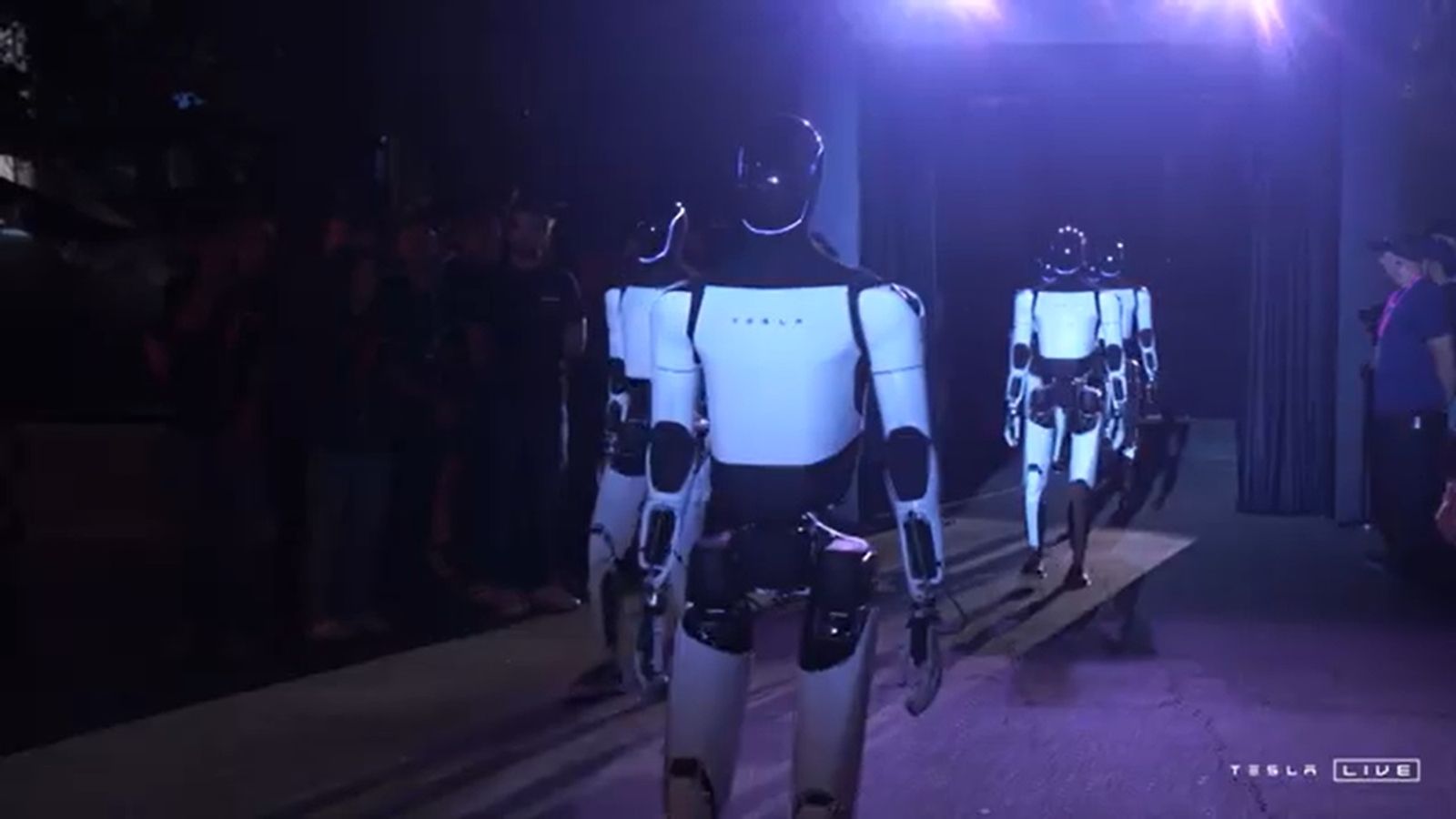
  • Tesla Optimus Robot – CybercabTesla Optimus Robot – Cybercab
    11 Ekim 2024
  • PHP ile Excel Export Dizi ÖrneğiPHP ile Excel Export Dizi Örneği
    5 Eylül 2024
  • SAP RFC Nedir?SAP RFC Nedir?
    16 Nisan 2024

Son yorumlar

  • SAP ‘nin ilk müşterisi için SAP BAPI ve BADI nedir? Farkları Nelerdir? | Burhan KARADERE
  • SAP ERP ürün modeli nedir? için SAP BAPI ve BADI nedir? Farkları Nelerdir? | Burhan KARADERE
  • SAP S4 HANA 2.0 için SAP BAPI ve BADI nedir? Farkları Nelerdir? | Burhan KARADERE
  • Niçin Sap Erp sistemi kullanılmalı ? Sap Nedir ? Sap erp neden kullanılmalı ? R3 nedir ? Ecc nedir ? için SAP BAPI ve BADI nedir? Farkları Nelerdir? | Burhan KARADERE
  • İletişim için SEFER ZAFER SEVİNÇ

2015 -2016 yazılarım

  • Şubat 2017 (1)
  • Eylül 2016 (8)
  • Ağustos 2016 (6)
  • Temmuz 2016 (2)
  • Haziran 2016 (22)
  • Mayıs 2016 (15)
  • Nisan 2016 (4)
  • Mart 2016 (13)
  • Şubat 2016 (4)
  • Ocak 2016 (19)
  • Aralık 2015 (6)
  • Kasım 2015 (1)
  • Ekim 2015 (1)
  • Eylül 2015 (9)
  • Ağustos 2015 (8)
  • Temmuz 2015 (2)
  • Ocak 2015 (1)

Son Twitlerim

→ Beğen

Flickr Resimlerim

View my Flickr photostream

Etiket Bulutu

19 Abap android arc asus compact covid custom ev hapis firmware geçiyor google günler hikayeler Home ics karantina korona korona 19 korona virüsü lens lg Mac Mobile nasıl nedir notlarım os play QX100 rom salgını samsung SAP smart sony sonyericsson Ubuntu uzak uzaktan çalışma virüs Windows xperia z2 çıktı

Hızlı Erişim

  • Bildirimler
    • Gizlilik Politikası
    • Kullanım Şartları
  • Google’da Ara
  • Hakkımda
    • Bilgisayarlarım
    • Biyografi
    • Burhan KARADERE
    • Dizüstü Bilgisayarlarım
    • Niçin Blog Yazmaya Başladım ?
    • Telefonlarım
  • İletişim
  • Youtube Kanalım

↑

Burhan KARADERE Şahsi Blog Sayfası. Tüm Hakları Saklıdır.
Tüm yazılardaki yorumlar ve bakış açıları Burhan KARADERE 'ye aittir. www.karadere.com www.karadere.xyz www.karadere.net